
Usercentrics
Create the Click2Buy data processing service
In Service Settings, open the Data Processing Services tab, then click Create Custom DPS.
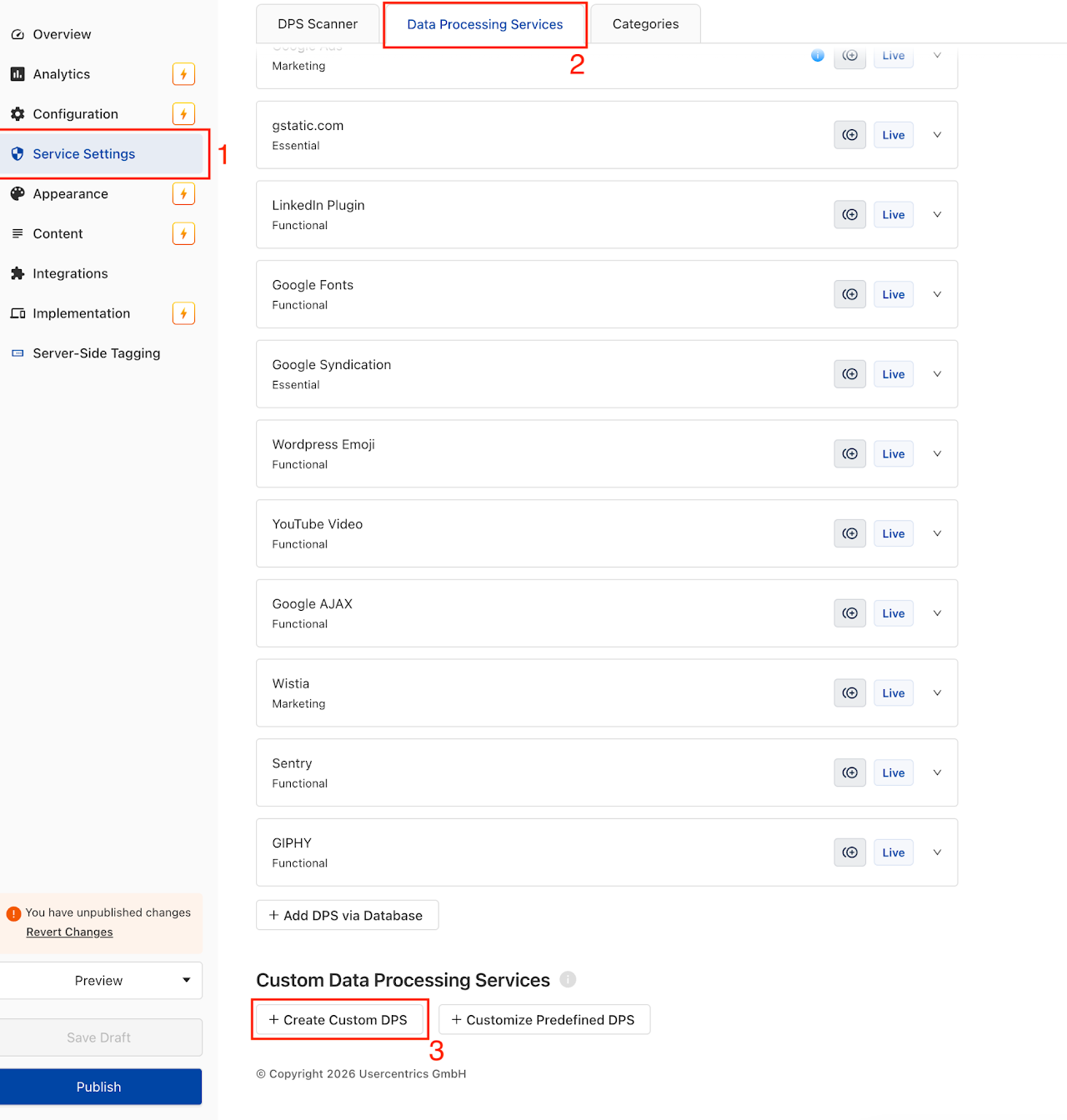
Create the service with the following settings:
| Field | Value |
|---|---|
| Name | Click2Buy |
| Category | We recommend Functional |
| Cookie policy URL | https://click2buy.com/privacy-policy/ |
| Description | See below |
text
Click2Buy uses your IP address to locate you and show retailers near you.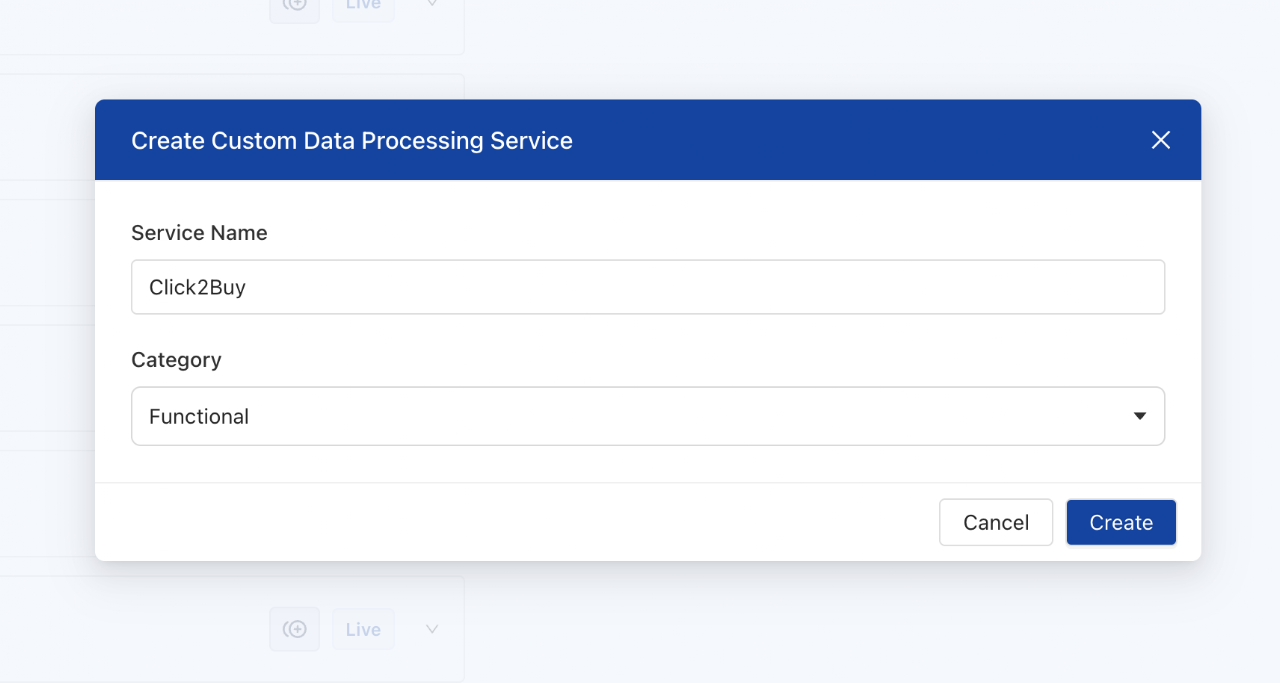
Publish your changes, then contact your Customer Success Manager to enable the consent feature on your widgets.
Check your configuration
Once your changes are published, run this code in the browser console on your website to check that the Click2Buy vendor is set up correctly:
js
async function checkConsentVendors() {
  let usercentricsConsent = false;
  // Check Usercentrics
  if (typeof UC_UI !== 'undefined') {
    console.log("[Usercentrics] SDK detected ✅");
    try {
      const vendors = await UC_UI.getServicesBaseInfo() || [];
      const vendor = vendors.find(vendor => vendor.name.toLowerCase() === 'click2buy');
      usercentricsConsent = Boolean(vendor?.consent?.status);
      console.log(`[Usercentrics] Click2Buy vendor found: ${usercentricsConsent ? "✅ Yes" : "❌ No"}`);
    } catch (error) {
      console.error("[Usercentrics] Error checking consent ❌", error);
    }
  } else {
    console.log("[Usercentrics] Not found ❌");
  }
  return { usercentrics: usercentricsConsent };
}

// Run the check
await checkConsentVendors();